
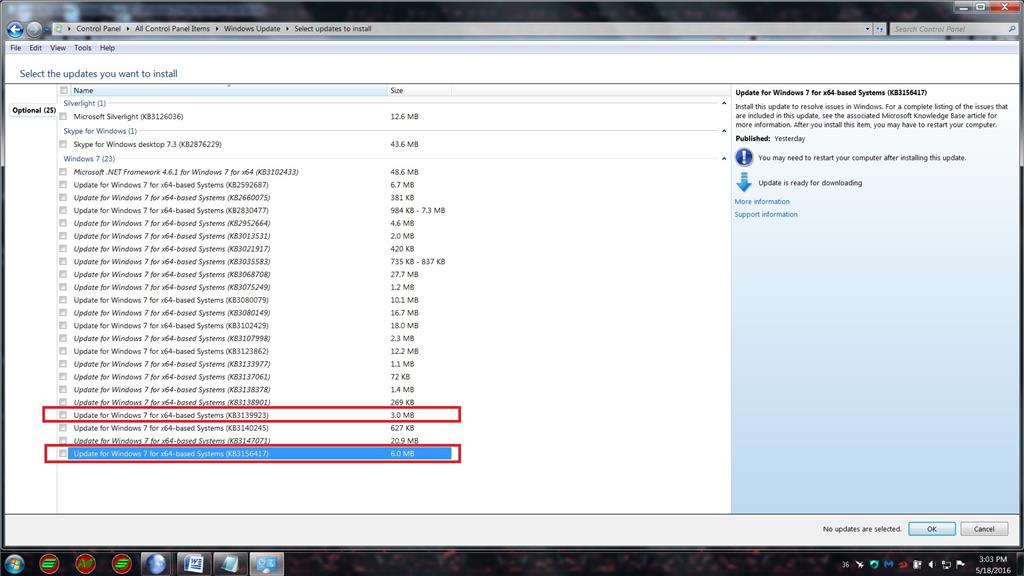
Windows 7 Convenience Rollup (KB3125574)
Windows 7 Convenience Rollup (KB3125574) was a cumulative update package released by Microsoft in May 2016 that bundled all post-SP1 patches into a single installer. Instead of downloading hundreds of individual updates after a fresh Windows 7 installation, you installed this one package and got everything through April 2016 in one reboot.
What it did
On a clean Windows 7 SP1 installation, Windows Update would hang for hours searching for updates and then require dozens of reboots to install them all. The convenience rollup eliminated that problem. One download, one install, one reboot - and the system was current through April 2016. It included security fixes, stability improvements, and component updates for .NET Framework, Internet Explorer, and DirectX.
IT departments used it to build deployment images. Instead of maintaining a catalog of individual patches, they slipstreamed KB3125574 into their base Windows 7 image and deployed fully-patched workstations from day one.
Advantages
- Replaced hundreds of individual updates with one package
- Fixed the Windows Update hanging issue on fresh installs
- Reduced deployment time from hours to minutes
- Free download from Microsoft Update Catalog
Drawbacks
- Only covered updates through April 2016
- Required SP1 to be installed first
- Windows 7 reached end of life in January 2020
- Windows 10/11 use a cumulative update model that avoids this problem
Who it was for
This was for anyone reinstalling Windows 7 or building deployment images in enterprise environments. It saved hours of patching on fresh installations. Since Windows 7 has been unsupported since January 2020, this package is now only relevant for legacy systems that cannot be upgraded.
Frequently Asked Questions
What was KB3125574?
Does KB3125574 still work?
Why was KB3125574 needed?
Features & How-To Guide
| # | Feature | How to use |
|---|---|---|
| 1 | Cumulative Windows 7 update | Download KB3125574 › Run the installer › Accept the terms › Restart. |
| 2 | Windows Update hang repair | Install KB3125574 after a clean install of Windows 7 SP1 › Windows Update will start working correctly. |
| 3 | System security updates | Installing this package closes security vulnerabilities discovered from SP1 through April 2016. |
| 4 | New installation deployment acceleration | Install after SP1 instead of hundreds of individual updates › 1 restart instead of a dozen or more. |
| 5 | System component updates | Updates .NET Framework, IE, DirectX, and other components to the April 2016 versions. |
| 6 | System stability improvement | The package fixes bugs in Explorer, network printers, and drivers. |
| 7 | Image preparation for enterprise deployment | Slipstream KB3125574 into a WIM image › Deploy it to workstations via SCCM/MDT. |
| 8 | Reduce WinSxS folder size | The package consolidates update files, reducing disk usage by several GB. |
Related software categories
Similar Programs






Questions & Answers
Ask a Question
Our team and community are happy to help
No questions yet. Be the first to ask!