
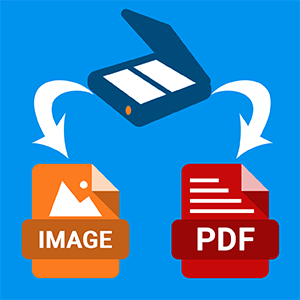
Free Scan to PDF
Free Scan to PDF is a freeware scanning application by FreeAudioVideo Software that captures documents from any TWAIN compatible scanner and saves them as PDF files. It provides basic page management tools for reordering, rotating, cropping, and selecting scanned pages before combining them into a single document.
What it does
Connect a scanner, select it from the TWAIN source list, and hit Scan. Each scanned page appears as a thumbnail in the preview panel. You can adjust resolution (75 to 600 DPI) and color mode (full color or grayscale) before scanning. Once all pages are captured, drag thumbnails to reorder them, rotate pages that came through at the wrong angle, or crop to remove borders and unwanted margins.
When everything looks right, click Save as PDF and the program combines all pages into a single file. This is the core workflow: scan, arrange, review, save. There is no OCR, no annotation, no form filling, no cloud integration. The program does one thing and keeps the interface minimal. For multi page documents like contracts, receipts, invoices, or tax forms, the batch scanning and page management features cover what most home users need without requiring paid software like Adobe Acrobat.
Advantages
- Simple one click workflow from scanner to finished PDF
- Combines multiple scanned pages into a single PDF file
- Page rotation, reordering, cropping, and deleting before saving
- Works with any TWAIN compatible scanner
Drawbacks
- No OCR, so scanned PDFs contain images only and are not searchable
- TWAIN only, does not support WIA drivers
- No batch scanning from automatic document feeders (ADF)
- Cannot export to image formats like JPEG or PNG, only PDF output
Who it is for
I use Free Scan to PDF when I need to digitize a stack of paper documents quickly without fiddling with settings. It does exactly what the name promises and nothing more. If you need searchable text in your PDFs, look at NAPS2 instead, which includes OCR. But for straightforward scan-to-PDF work at home or in a small office, this program gets the job done with zero learning curve.
Frequently Asked Questions
Does Free Scan to PDF include OCR?
Can it scan multiple pages into one PDF?
What scanners does it support?
Is Free Scan to PDF free?
Features & How-To Guide
| # | Feature | How to use |
|---|---|---|
| 1 | Scan to PDF | Connect the scanner › Run the program › Choose a scanner from the list (TWAIN) › Click Scan › Save as PDF. |
| 2 | Joining multiple scans into one PDF | Scan additional pages › All appear in the preview › Click Save as PDF - the program combines them into one file. |
| 3 | Rotating and cropping pages | Select a page in the preview › Use Rotate Left/Right or Crop buttons to crop to the selected area. |
| 4 | Resolution and color settings | Before scanning, choose DPI (75-600) and color mode (color, grayscale, black-and-white). |
| 5 | PDF page order change 2 | Drag page thumbnails in the preview panel to reorder them before saving the PDF. |
| 6 | Scan source selection (TWAIN) | File › Select Source › Choose a scanner from the list of TWAIN devices installed in the system. |
Related software categories
Similar Programs





Questions & Answers
Ask a Question
Our team and community are happy to help
No questions yet. Be the first to ask!